How to Make a PDF Smaller to Email It
You finish a document, export it as a PDF, and end up with a 30 MB file. Your email provider refuses the attachment, and the application portal only accepts 5 MB. It's a very common problem, and it can usually be solved in about a minute.
Why are some PDFs so large?
Plain text in a PDF is tiny, just a few KB per page. What makes a PDF large is almost always the images embedded in it.
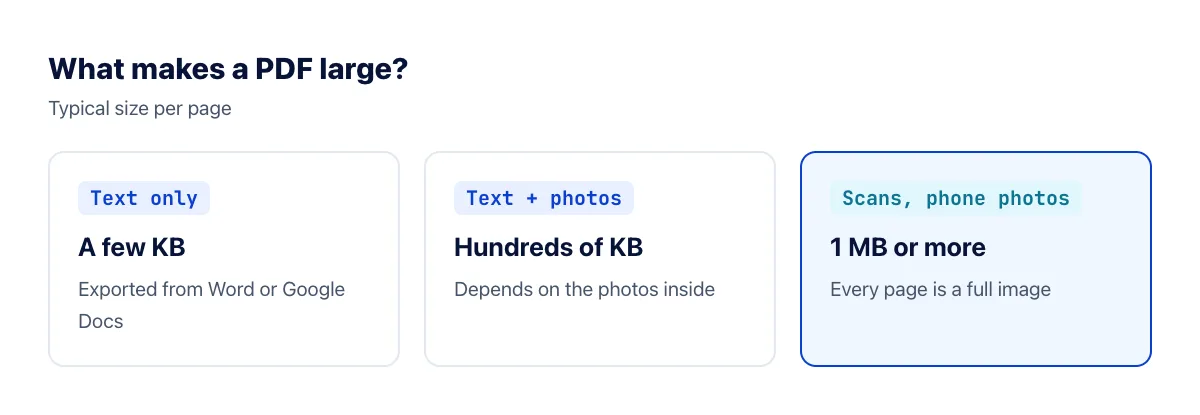
PDFs made from a scanner or from phone photos are the heaviest, because every page is a high-resolution image. Word documents with uncompressed photos pasted in are a close second.
Common size limits
| Where you're sending it | Typical limit |
|---|---|
| Gmail, Yahoo Mail | 25 MB per email |
| Outlook.com | 20 MB per email |
| Job and application portals | Often 2–10 MB per file |
Attachments are encoded when an email is sent, which adds roughly a third to their size, so a file just under the limit can still bounce. Some providers offer to send a large file as a cloud link instead, but many recipients and forms want a real attachment.
How to compress a PDF online
- Open the Compress PDF tool.
- Drag your PDF into the upload box.
- Click Compress PDF, wait while it's processed, then download the smaller file.
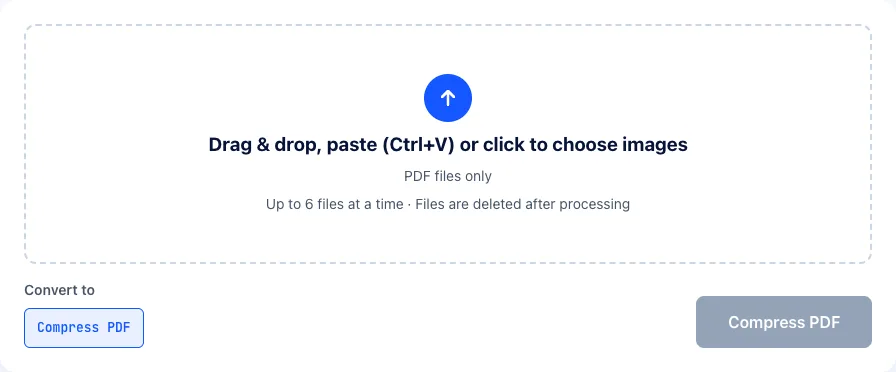
The tool re-compresses the images inside the PDF and downsamples them to 150 DPI, a resolution that stays clear on screen and is acceptable for everyday printing. Text, page order and layout are untouched. How much you save depends on the file: scanned and image-heavy PDFs usually shrink a lot, while text-only PDFs barely change because they're already small.
Create smaller PDFs from the start
Compressing afterwards is a quick fix. If you create PDFs regularly, these habits keep them small from the outset:
- Resize photos before inserting them into a document or combining them into a PDF. 1400–1600 pixels wide is plenty for a full page read on screen. Use the image resizer.
- Scan at 150–200 DPI for documents that will only be read on screen. 300 DPI is only needed for reprinting.
- Scan in black and white or grayscale when the document has no color. The files are much smaller.
- In Word, choose File → Save As → PDF and select "Minimum size (publishing online)" for documents meant for reading on screen.
- On a Mac, open the PDF in Preview and choose File → Export → Quartz Filter → Reduce File Size. It's aggressive, so check the result.
- Combine pre-shrunk images: see how to combine images into one PDF.
Still too large after compressing?
- Split it: send several PDFs, by section, if the recipient allows it.
- Rebuild it from images: convert the pages to images, shrink them, then combine them into a new PDF.
- Send a link: share it from Google Drive or OneDrive, and make sure the recipient has permission to view it.
Frequently asked questions
Will compressing make the text blurry?
Real text in a PDF, such as one exported from Word, stays perfectly sharp because it isn't an image. Only the embedded images are compressed. In a scanned PDF every page is an image, so text may look slightly softer; open the compressed file and zoom in before sending.
Will compressing break a digital signature?
Yes. A digital signature is tied to the exact contents of the original file, and any change, including compression, invalidates it. Send signed contracts and documents in their original form, or share them via a link.
Can I compress a PDF on my phone?
Yes. The tool runs in your browser, so it works on Android and iPhone: pick the file from your Files app, compress it, download the result and attach it to your email as usual.
Does compressing twice make it smaller?
The first pass saves the most. A second pass usually saves very little and can make images blurrier. If the file is still too big, rebuild it from smaller images instead.
Why did my PDF barely get smaller?
Either it contains little besides text, which is already compact, or its images were compressed efficiently when the PDF was created. Large fonts embedded in full, or many vector drawings, can also keep a file heavy. In those cases, splitting the document or sending a link is usually the practical answer.
Is it safe to upload a confidential PDF?
Uploaded files and compressed results are deleted from our server automatically after processing, and nothing is shared with anyone. For highly sensitive documents, such as medical records or contracts, you may still prefer an offline method like Word's "Minimum size" export or Preview on a Mac.
The bottom line
Embedded images are what make PDFs heavy. Compressing a PDF solves most cases in a minute, and resizing images before you create a PDF, or scanning at a sensible resolution, means you'll rarely hit an attachment limit again.