How to Make a Favicon for Your Website (ICO, PNG and SVG)

A favicon is the small icon that appears in browser tabs, in bookmarks and next to your site's name in Google's search results. Without one, browsers show a generic gray icon, which looks unfinished and makes your site hard to spot among a dozen open tabs.
This guide shows how to create a complete favicon set from your existing logo and add it to your site correctly.
Prepare your logo
- Square and simple. A favicon is displayed at 16–32 pixels. A wide logo with text turns into an unreadable smudge, so use your logo's symbol or your brand's first letter.
- High resolution. Start from an image at least 512×512 pixels so every size stays crisp.
- Transparent or solid background. Check how it looks on both light and dark browser tabs.
- A little padding. Leave some space around the symbol so it isn't clipped when phones display it with rounded corners.
The files you need
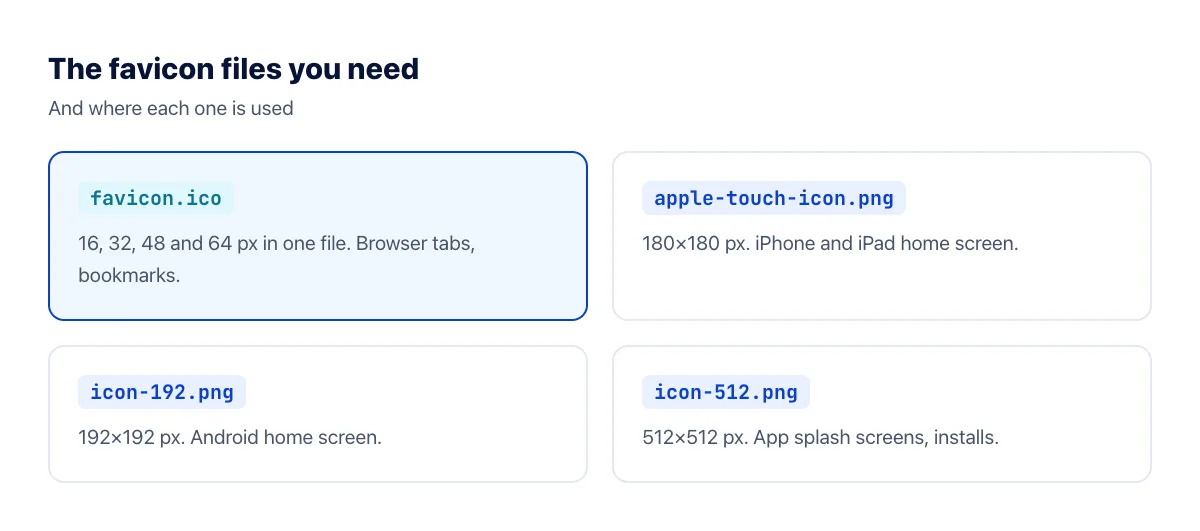
The most important file is favicon.ico. The ICO format can hold several sizes in one file, and the browser picks the most suitable one. Put it at the root of your site (/favicon.ico): many browsers and tools look there automatically, even if you forget to declare it.
Create favicon.ico from your logo
- Open the image to ICO converter.
- Upload your logo as a PNG (ideally with a transparent background) or JPG.
- Click Convert to ICO and download the file. It contains 16, 32, 48 and 64-pixel versions.
- Rename it to
favicon.icoif needed and upload it to the root folder of your site.
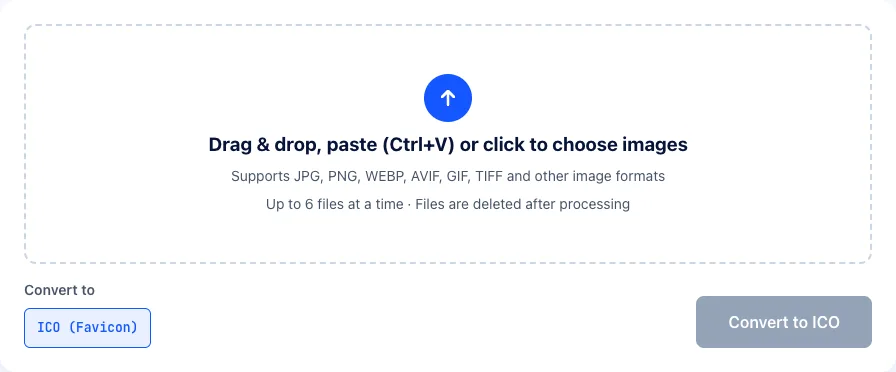
Note that the converter crops non-square images to a square from the center, so prepare a square version of your logo first if your symbol isn't centered.
For the PNG files (180, 192 and 512 pixels), use the image resizer: crop your logo to a square and enter each size.
Add the favicon to your HTML
Add these lines inside the <head> of every page:
<link rel="icon" href="/favicon.ico" sizes="any"><link rel="apple-touch-icon" href="/apple-touch-icon.png"><link rel="manifest" href="/site.webmanifest">
In site.webmanifest, list the 192 and 512-pixel icons under icons. On WordPress, go to Appearance → Customize → Site Identity → Site Icon and upload a 512×512 square image; WordPress generates the other sizes for you.
Does a favicon affect SEO?
A favicon isn't a ranking factor. But Google shows it next to your site's name in search results, and a clear, recognizable icon can help people notice your result and click it. Google's guidelines ask for a square favicon (at least 8×8 pixels, with larger than 48×48 recommended) at a stable URL that Googlebot is allowed to crawl.
Favicon not showing up?
- Browsers cache favicons aggressively. Check in a private window, or add a version parameter:
/favicon.ico?v=2. - Wrong path. Open
yourdomain.com/favicon.icodirectly and make sure the icon loads. - Google hasn't updated yet. It can take days or weeks for a new favicon to appear in search results.
Frequently asked questions
Can I use a PNG favicon instead of ICO?
Yes, modern browsers accept PNG favicons via link rel="icon". Some tools and older browsers still look for /favicon.ico at the root, though, so including an ICO file is the safest approach.
Should I use an SVG favicon?
Modern browsers support SVG favicons, which are sharp at every size and can even switch colors for dark mode using CSS inside the file. Use SVG as your main favicon with favicon.ico as the fallback. See SVG vs PNG for more on vector images.
My logo is long text. What should the favicon be?
Don't shrink the whole logo. Use your brand's symbol, or its first letter on a background in your brand color. At 16 pixels, only one or two characters or a simple shape remain recognizable.
My favicon is hard to see in dark mode. What can I do?
A dark logo on a transparent background can disappear on dark browser tabs. Add a subtle light outline or a colored background behind the symbol, or use an SVG favicon with separate colors for dark mode.
What's the difference between a favicon and an apple-touch-icon?
The favicon appears in browser tabs and bookmarks. The apple-touch-icon is used when someone adds your site to the home screen of an iPhone or iPad, where it's shown much larger with rounded corners. iOS ignores transparency there and fills it with black, so give the apple-touch-icon a solid background color.
How do I check which favicon Google shows?
Search for your site's name on a phone, or use a site:yourdomain.com search, and look at the icon next to your site name. If it's still the old or a generic icon weeks later, make sure your favicon URL isn't blocked in robots.txt.
The bottom line
Prepare a simple square logo, create a multi-size favicon.ico, add 180, 192 and 512-pixel PNGs, and declare them in your HTML head. It takes about ten minutes and makes your site look finished in every browser tab.