Favicon Size and Format Guide: ICO, PNG or SVG?
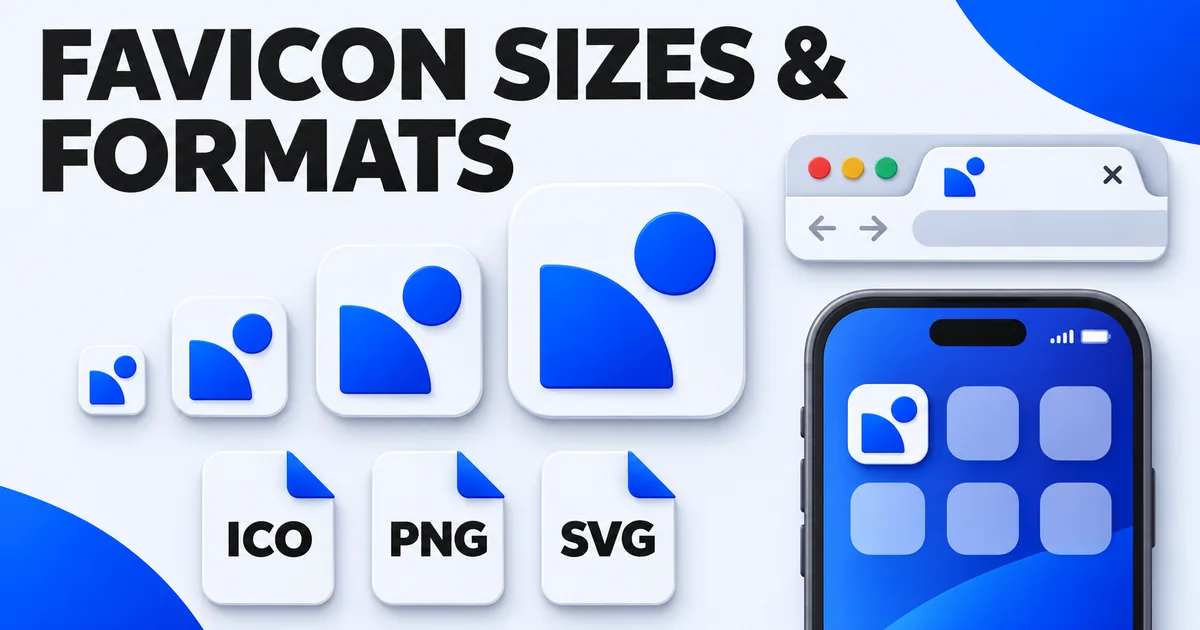
Search for "favicon size" and you'll find lists of twenty or more icon sizes, many of them left over from browsers and devices nobody uses anymore. In practice, a modern website needs about five files. This guide covers which sizes matter, which format to use for each, and what actually happens inside a favicon.ico file.
If you just want to create and install a favicon step by step, start with how to make a favicon and come back here when you need the details.
The short answer
| File | Size | Used for |
|---|---|---|
| favicon.ico | 16, 32 and 48 px inside one file | Browser tabs, bookmarks, Windows, the fallback everything understands |
| icon.svg (optional) | Any, it's a vector | Sharp tabs at every zoom level, dark-mode variants |
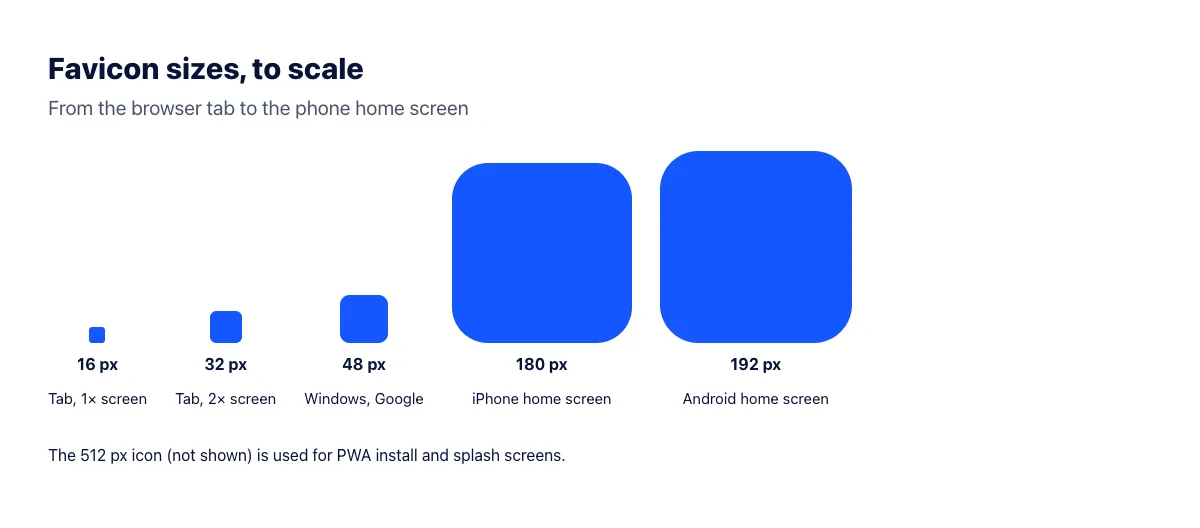
| apple-touch-icon.png | 180 × 180 px | iPhone and iPad home screen |
| icon-192.png | 192 × 192 px | Android home screen, web app manifest |
| icon-512.png | 512 × 512 px | Web app install and splash screens |
That's it. Sizes such as 57, 72, 114, 144 or 152 pixels were needed for old iPhones, iPads and Windows 8 tiles. Current iOS versions scale the 180-pixel icon down for every device, so you can skip the rest.
Why so many sizes for one tiny icon?
A browser tab shows the favicon at 16 × 16 CSS pixels. On a standard screen that's 16 real pixels; on a Retina or other high-density screen it's 32 real pixels, so the browser looks for a 32-pixel version to stay sharp. Windows uses 32 and 48-pixel versions for taskbar and desktop shortcuts. Phones show your icon far larger on the home screen, which is why Apple and Android each want their own bigger image.
If you only provide a large image, the browser shrinks it on the fly, and a detailed logo shrunk to 16 pixels usually turns into a blurry blob. Providing the small sizes yourself lets you check that each one is still readable.
ICO, PNG or SVG?
ICO: the one file every browser understands
ICO is a container format: one file holds several images at different sizes, and the browser picks the most suitable one. It's the only format that works in every browser ever made, and browsers still request /favicon.ico automatically when a page doesn't declare an icon. That makes it the safest base for any site.
PNG: for home screen and app icons
PNG favicons work in all modern browsers through <link rel="icon" type="image/png">, but each PNG file holds only one size. That's fine for the large icons (180, 192, 512 pixels), where only one size is needed per file, and less convenient for tabs, where you'd need separate 16 and 32-pixel files.
SVG: sharp at any size, with dark mode
An SVG favicon is a vector image, so it's crisp at every size and zoom level from a single small file. Because SVG can contain CSS, it can even switch colors when the visitor's system is in dark mode, using a @media (prefers-color-scheme: dark) rule inside the file. Chrome, Edge and Firefox support SVG favicons; Safari's support has lagged behind the others, which is one more reason to keep favicon.ico as a fallback.
So should a favicon be SVG or PNG?
For the browser tab, use SVG if your logo is a simple vector shape, with favicon.ico alongside it as the fallback. Use PNG for the large home-screen icons, because iOS doesn't accept SVG for the apple-touch-icon. If your logo only exists as a photo or a detailed raster image, skip SVG: converting it to a vector won't look better at 16 pixels than a well-made ICO. For more on the difference between the two formats, see SVG vs PNG.
What's inside a favicon.ico file
An ICO file starts with a short header listing the images it contains: their width, height and where each one starts in the file. Each image can be stored in one of two ways: as an uncompressed bitmap (BMP), the original format from early Windows, or as a compressed PNG, which Windows has accepted since Vista and every current browser reads.
The difference in file size is large. We converted the ImgPivot logo (a 512 × 512 PNG) into a favicon.ico with 16, 32, 48 and 64-pixel images both ways:
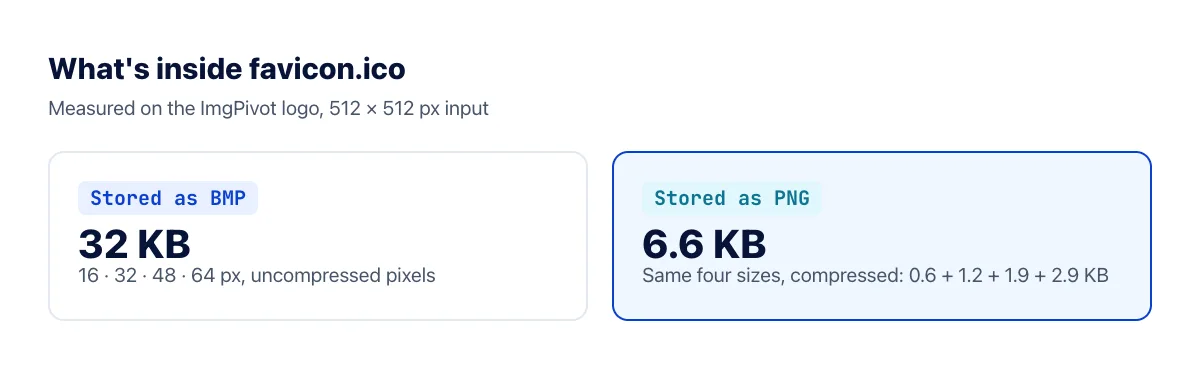
Stored as bitmaps, the file was 32 KB. Stored as PNG, the same four images came to 6.6 KB, nearly five times smaller, and browsers display them identically. Our image to ICO converter stores PNG for that reason. A favicon is fetched on every first visit, often before anything else on the page has been cached, so there's no reason to make it heavier than it needs to be.
How big should the file be?
For reference, these are the favicon files imgpivot.com itself serves:
| File | Dimensions | File size |
|---|---|---|
| favicon.ico | 16, 32, 48 px | 5.3 KB |
| favicon-32x32.png | 32 × 32 px | 1.7 KB |
| apple-touch-icon.png | 180 × 180 px | 12.9 KB |
| android-chrome-192x192.png | 192 × 192 px | 14.3 KB |
| android-chrome-512x512.png | 512 × 512 px | 81.7 KB |
A favicon.ico above roughly 20 KB usually means uncompressed bitmaps or more sizes than needed. A 512-pixel PNG of a flat logo should be well under 100 KB; if yours is much bigger, run it through the image compressor or check that it isn't a photo saved as PNG.
What Google needs for search results
Google shows your favicon next to your site name in search results, and its requirements are simple: the icon must be square, at least 8 × 8 pixels, and preferably larger than 48 × 48 pixels so it looks sharp on high-density screens. It must be declared with a <link rel="icon"> tag on your home page and be crawlable, so make sure robots.txt doesn't block it. Any common format works, including ICO, PNG and SVG.
Frequently asked questions
Can I use a single 512-pixel PNG for everything?
It will technically work, since browsers will scale it down. But a detailed image shrunk to 16 pixels by the browser often looks muddy, and visitors download an 80 KB file to display a tiny icon. Generate the small sizes separately.
Does the favicon have to be square?
Yes. Browsers, phones and Google all display it in a square. If your logo is wide, use just its symbol or first letter. Our converter crops non-square images to a square from the center.
Should the favicon have a transparent background?
For the tab icon, transparency works well, as long as the symbol is visible on both light and dark tabs. For the apple-touch-icon, use a solid background: iOS fills transparent areas with black.
What size is a favicon.ico supposed to be?
The ICO file should contain at least 16 × 16 and 32 × 32 pixel images, and ideally 48 × 48 too. Our converter adds 64 × 64 for larger Windows shortcuts. The images inside can go up to 256 × 256 pixels, but there's little reason to go that big for a website.
The bottom line
Use a favicon.ico with 16, 32 and 48-pixel images as the base, add an SVG if your logo is a clean vector, and add 180, 192 and 512-pixel PNGs for phones and app installs. Keep the ICO small by storing PNG images inside it. When your files are ready, follow how to add a favicon to your website to put them in place.